
Ask your business out loud.
Ayo answers from your own calendar, inbox and client system — in seconds, while you drive, walk a job site or sit between meetings. She can also answer your business line 24/7: questions, intake, bookings and messages. She drafts the follow-ups; you tap to confirm. Every plan includes both, and you can call her from any phone.
Free demo with a fictional business — no sign-up, works on your phone.
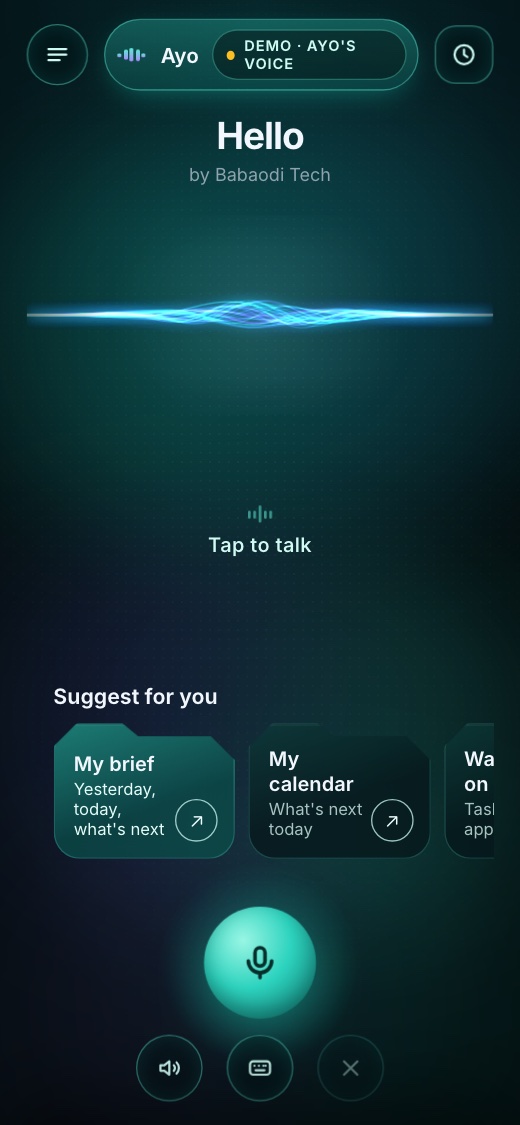
How it works
- PressOne button on your phone — the Action Button, a home-screen icon or “Hey Siri”. No app open? Call Ayo's number and say your PIN.
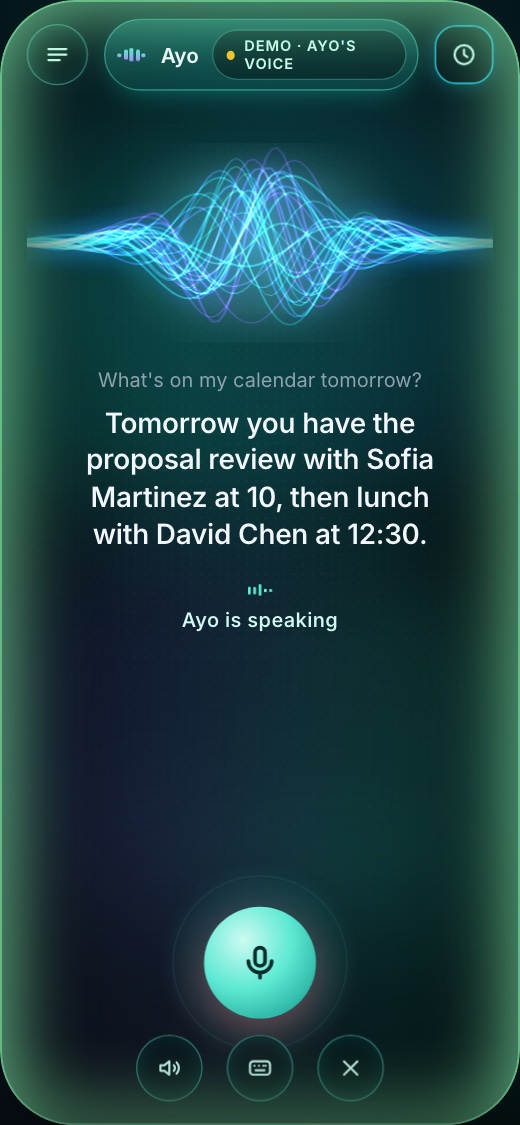
- AskIn plain words: “What's on my calendar tomorrow?” “Any new leads?” “What's waiting on me?”
- Hear the answerSpoken back in seconds, from your own systems — and you can interrupt or ask a follow-up.
- Say "send it"She reads it back and asks first. Say "send it" and it goes, hands-free, or tap Confirm. Never sent on her own.
One Ayo, two jobs
Every plan includes the receptionist for your callers and your own assistant.
The receptionist
Included in every plan
Your business line, answered 24/7.
- Answers your questions and FAQs
- Takes intake, one question at a time
- Books appointments in your calendar
- Takes messages and transfers urgent calls
- English and Spanish, after hours and overflow
- A summary of every call in your inbox
Your own assistant
Included in every plan
Ask your business out loud.
- A morning brief: calls, leads, calendar, what's waiting
- “Who called today?” and “Read me the Smiths' intake.”
- Replies, letters, reminders and meetings prepared for you
- Say "send it", hands-free, or tap Confirm
- From the app, “Hey Siri”, or by calling Ayo with your PIN
- Your calendar, inbox and CRM, with your permissions
Why owners choose Ayo
Plans and prices
Free 7-day trial, no contract. Standard setup included. Month to month.
Ayo Starter
$149 / month
About 80–100 calls a month.
- Receptionist: 200 minutes
- Answers, intake, bookings and messages
- English and Spanish, a summary of every call
- Your assistant: 60 live minutes
- Brief, drafts and Siri questions not counted
- Extra minutes $0.40
Ayo Pro
$299 / month
About 200–250 calls a month.
- Receptionist: 500 minutes
- Everything in Starter
- Urgent calls transferred to your cell
- More services and intake questions
- Your assistant: 150 live minutes
- Extra minutes $0.40
Ayo Business
$549 / month
500+ calls a month.
- Receptionist: 1,200 minutes
- Everything in Pro
- Priority changes
- A monthly call review with you
- Your assistant: 300 live minutes
- Extra minutes $0.35
- Founding clients: the first 5 businesses keep their price for life.
- Yearly: pay 10 months, get 12.
- Team members with their own assistant: $29 / month each.
- Advanced setup (phone menu, number porting, CRM connection, several locations): quoted after a free call, $750–1,500.
What people ask Ayo
- “My brief.” — yesterday's numbers, today's schedule, what's waiting
- “Am I free Friday at 2?”
- “Any new leads today?”
- “Reply to Maria: we can start Monday.”
- “Remind Jake to send the quote by Friday.”
- “What did the Johnsons say in their last email?”
- “What's waiting for me?” — every draft and reply she prepared, ready to send
- “Open the letter you wrote to Maria.”
Works with the tools you already use
Built for confidential data
Made for owners who are always on the move
- Contractors & home services
- Real estate agents and brokers
- Property managers
- Insurance agencies
- Professional services firms
Questions
No store needed: Ayo opens from a link and you add her to your home screen in two taps. iPhone and Android.
Yes. Save Ayo's number in your contacts. When you call from your own cell, she asks for your PIN — say it or type it — and you are talking to your own Ayo: your brief, calendar, emails and drafts, with no app open. After a few wrong PINs the line locks for a while.
Yes — 7 days, no contract. Forward your after-hours calls to Ayo and try your own assistant for a week; then you choose.
Only when you say so. She writes it, reads it back, and asks "Should I send it?" Say "send it", hands-free, or tap Confirm. Nothing goes out on her own.
It stays in your own systems. Ayo reads what she needs to answer a question; she doesn't keep a copy of your mailbox or client files.
Yes. Each person pairs their own phone with a one-time QR code and only sees what their own account allows.
Yes — the name, greeting and voice are yours to pick, from a library of natural voices.
Usually a few days: we connect your tools, set her up for your business, and pair your phones with you on a call.
Yes. When recording is on, the first thing callers hear is that the call may be recorded. You choose whether recording is on, and you stay responsible for the consent rules in your state.
You decide: Ayo can take a message, book the next opening, or send urgent calls to your cell. Every call ends with a summary in your inbox.
Yes. Ayo answers in English or Spanish and switches when the caller does.
Yes. You set who gets transferred calls and when — for example urgent words like "emergency", or anyone asking for a person.
She says so, takes the caller's details and question, and passes it to you. She doesn't make things up.
Want Ayo for your business?
Book a free call — we'll look at the tools you use and what you'd ask her first.